From Blank SD Card to Playing Music in 5 Minutes: How We Provision a New Device
Setting up a new audio point in a hotel should not require a technical manual or a dedicated engineer. This is the real provisioning process — designed so that anyone on the maintenance team can do it.
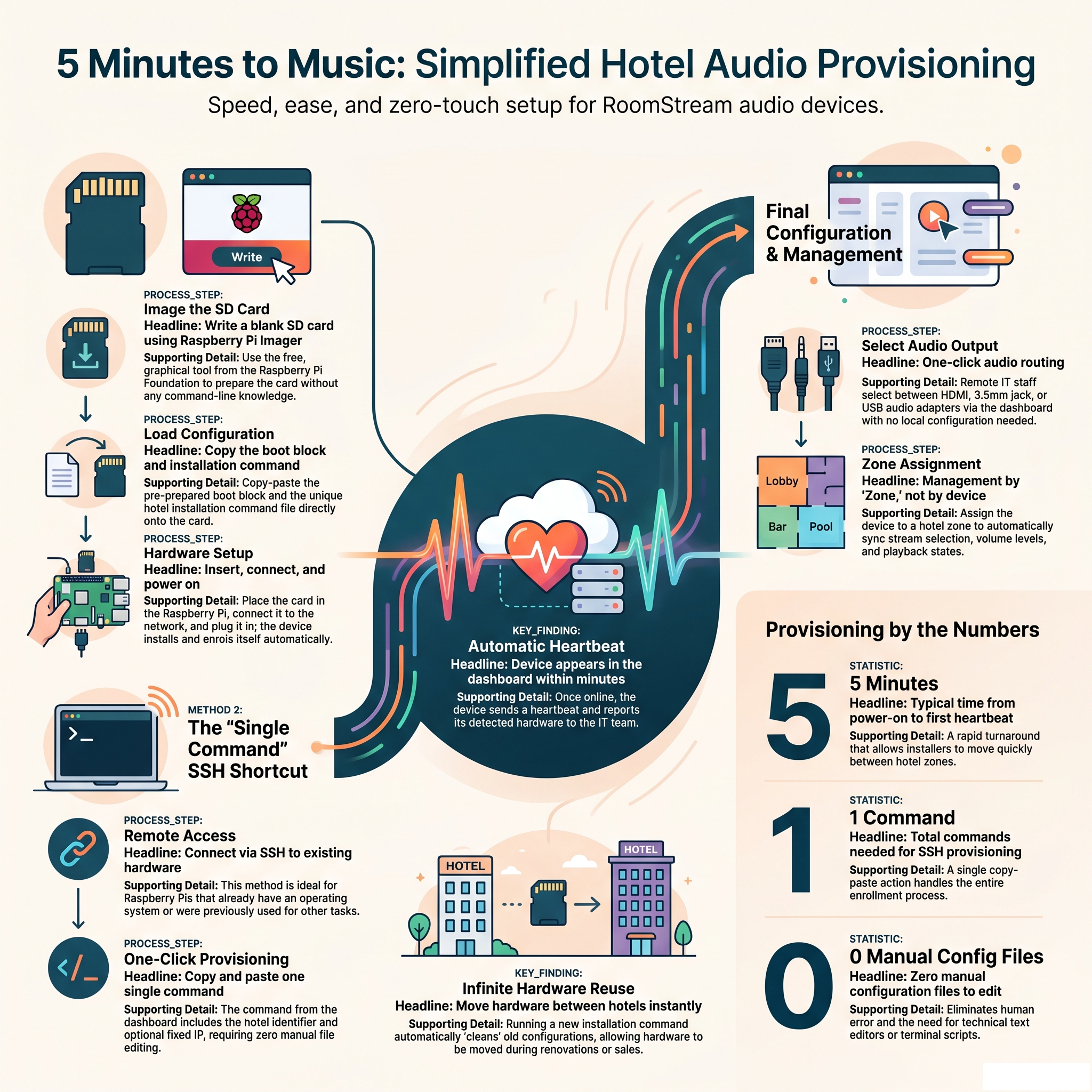
The person who installs a new Raspberry Pi in a hotel zone is not always a software engineer. It might be the hotel's maintenance technician, the IT generalist who manages everything from the Wi-Fi to the printers, or even a contracted installer who has never touched a Raspberry Pi before. The provisioning process has to work for all of them.
RoomStream's installation flow was designed with this in mind: minimal steps, no manual configuration files, no command-line knowledge required for the standard case.
Method 1: Blank SD Card, Zero Manual Configuration
Each hotel in the dashboard has its own installation command, already containing the correct chain token and hotel identifier — nothing has to be copied or typed manually. The process:
- Write a blank SD card using Raspberry Pi Imager (a free, graphical tool from the Raspberry Pi Foundation — no command line needed).
- Copy a small boot block (pre-prepared, copy-paste) and a file containing the installation command onto the SD card.
- Insert the SD card into the Raspberry Pi, connect it to the network, and power it on.
Everything else happens automatically: the Raspberry Pi installs itself, enrols in the correct hotel, and appears in the dashboard within a few minutes, ready to be assigned to a zone. The installer does not need to interact with the device again.
The only information the installer needs in advance is where the device will be physically placed — which zone it will belong to. That assignment happens in the dashboard after the device first appears, and can be done by the IT team remotely while the installer is still at the hotel.
Method 2: SSH, When the Pi Is Already Running
If the Raspberry Pi already has an operating system installed and is reachable over SSH, provisioning is even simpler: copy and paste one single command from the dashboard into the terminal. That command already includes the destination hotel and, optionally, a fixed IP address if the hotel's network requires it — no manual configuration file editing.
This method is useful when deploying to a Pi that was previously used for something else, when the device was set up by a third party, or when the hotel already has a Raspberry Pi infrastructure that just needs to be enrolled into RoomStream.
Reusing Hardware Without Complications
What if a Raspberry Pi that was used in one hotel is now needed in another? Simply run the installation command for the new location. The system detects that it is a fresh installation and treats it accordingly — no need to "clean" anything manually on the device, no residual configuration from the previous hotel, no risk of the old hotel still seeing the device as active.
This matters in practice. Hotel IT infrastructure gets moved around as properties are renovated, sold, or added to a group. Hardware reuse should not create operational headaches.
The Last Step: Audio Output
For brand-new Raspberry Pi installations (not migrations from another system), there is one remaining step: choosing the correct audio output. A Raspberry Pi can output audio via HDMI, the 3.5mm jack, or a USB audio adapter. The device tries HDMI first by default.
Once the device has sent its first heartbeat to the dashboard, it reports which audio outputs it detected. The IT team selects the correct one from the device's configuration panel — one click, no SSH, no configuration file. Volume, zone assignment, and stream selection are all already handled from the first boot.
What Happens After Installation
Once the device is enrolled and its audio output is confirmed, the IT team assigns it to a zone from the dashboard. From that point on, the device receives its stream, volume level, and playback state from the zone — not from local configuration. If the zone's stream changes, all devices in that zone update automatically. If the device needs to be moved to a different zone, that change happens in the dashboard and takes effect immediately.
There is no per-device configuration to maintain after installation. The zone is the unit of management, and the device follows the zone.
Expand your hotel audio fleet without the complexity
RoomStream's provisioning is designed to be fast, repeatable, and safe for any member of your team.
Learn more about RoomStream →